Release Notes · Version 1.5
OmniGeometry 1.5 is here 🌀
Our biggest desktop release yet. And now available as a free download!

OmniGeometry 1.5 brings a whole new layer type, live output into your video software, 72 finished scenes to play with, and — the part we are most excited about — a free version that anyone can download and start creating with today !.
Everything new in 1.5
The whole release at a glance, jump to more info by clicking on title.
- Free version — the full core of the app, no license needed
- Spiral layers — Archimedean and logarithmic, a whole new way to draw
- Live output — stream the canvas into OBS, Resolume or TouchDesigner
- 72 example scenes — browsable with previews, free to remix
- Grids and snapping — square, hexagonal and circle grids
- Beat pulse effect — colors and brightness synced to a BPM
- Angle locked rotation — with a visual guide on the canvas
- Improved parameter expressions — drive any value with a formula
- Tracing hue rotation — recolor traces without re-tracing
- Floating panels — animation and color, free of the sidebar
- Reset to default — put any parameter back the way it was
- Rewritten vector export — faster, and more accurate PDF/SVG rendering
- Per-layer export — one file per layer, in PNG, SVG or PDF
- Point image capture — turn your own layers into a drawing point
- Welcome tour — a proper introduction on first launch
01The big one
OmniGeometry is now free to use
You no longer need a license to open OmniGeometry. Download it, launch it, and the full core of the app is yours: draw, recurse, animate, trace, color, and export your work as PNG.

A Pro license unlocks the deeper toolkit on top of that — and every Pro feature stays visible in the menus, marked (Pro), so you always know what is behind it before you decide.
Download OmniGeometry 1.5 free → available right now.
What OmniGeometry Pro unlocks
- PDF & SVG vector export
- Animation sequence export
- Export each layer separately
- Spiral layers
- Beat pulse effect
- Applying parameter values from expressions
- Background video
- Projection mode
- MIDI controller support
- Live video streaming with Syphon & Spout output
- Copy layers from another scene
02New layer type
Spirals
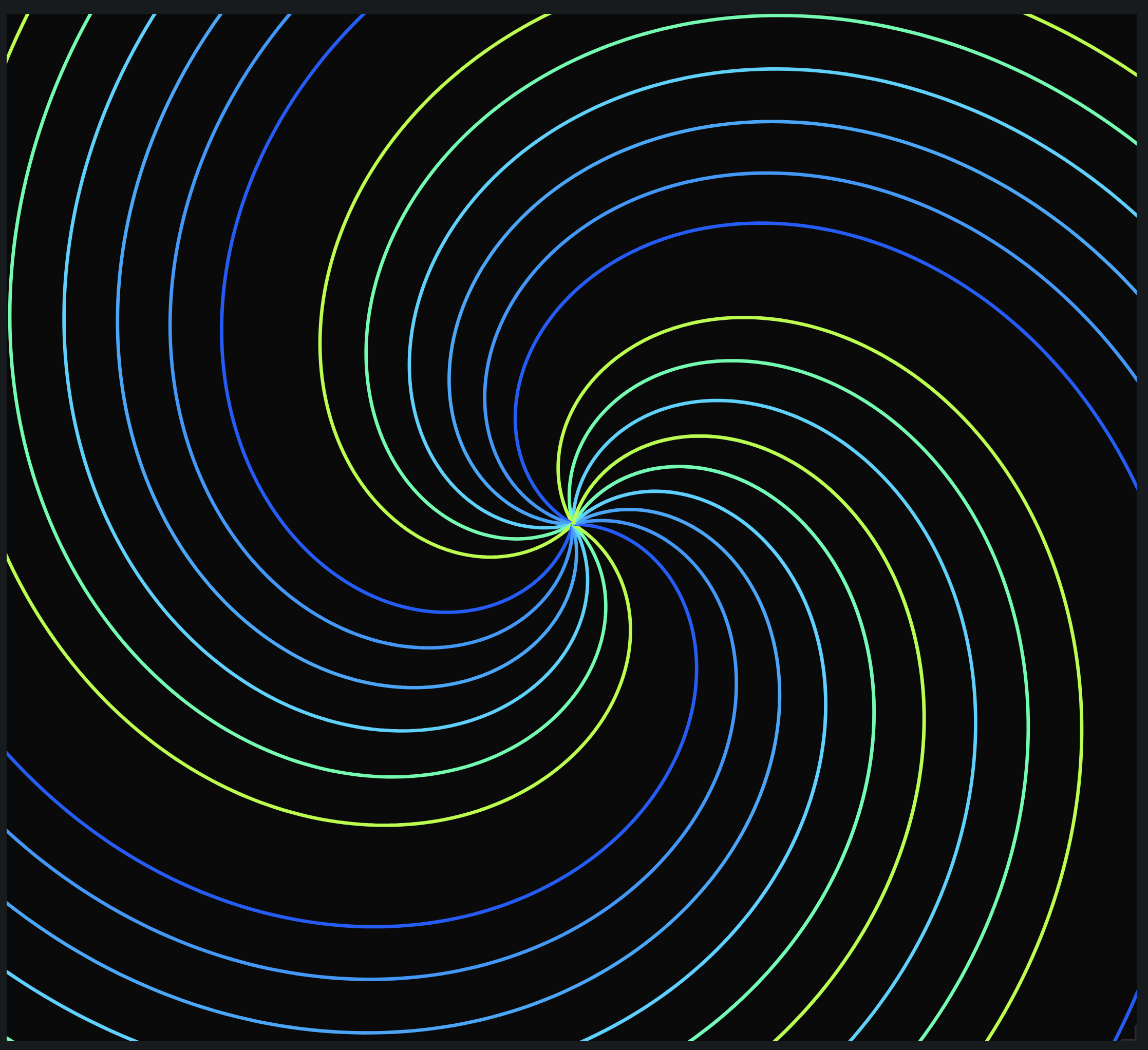
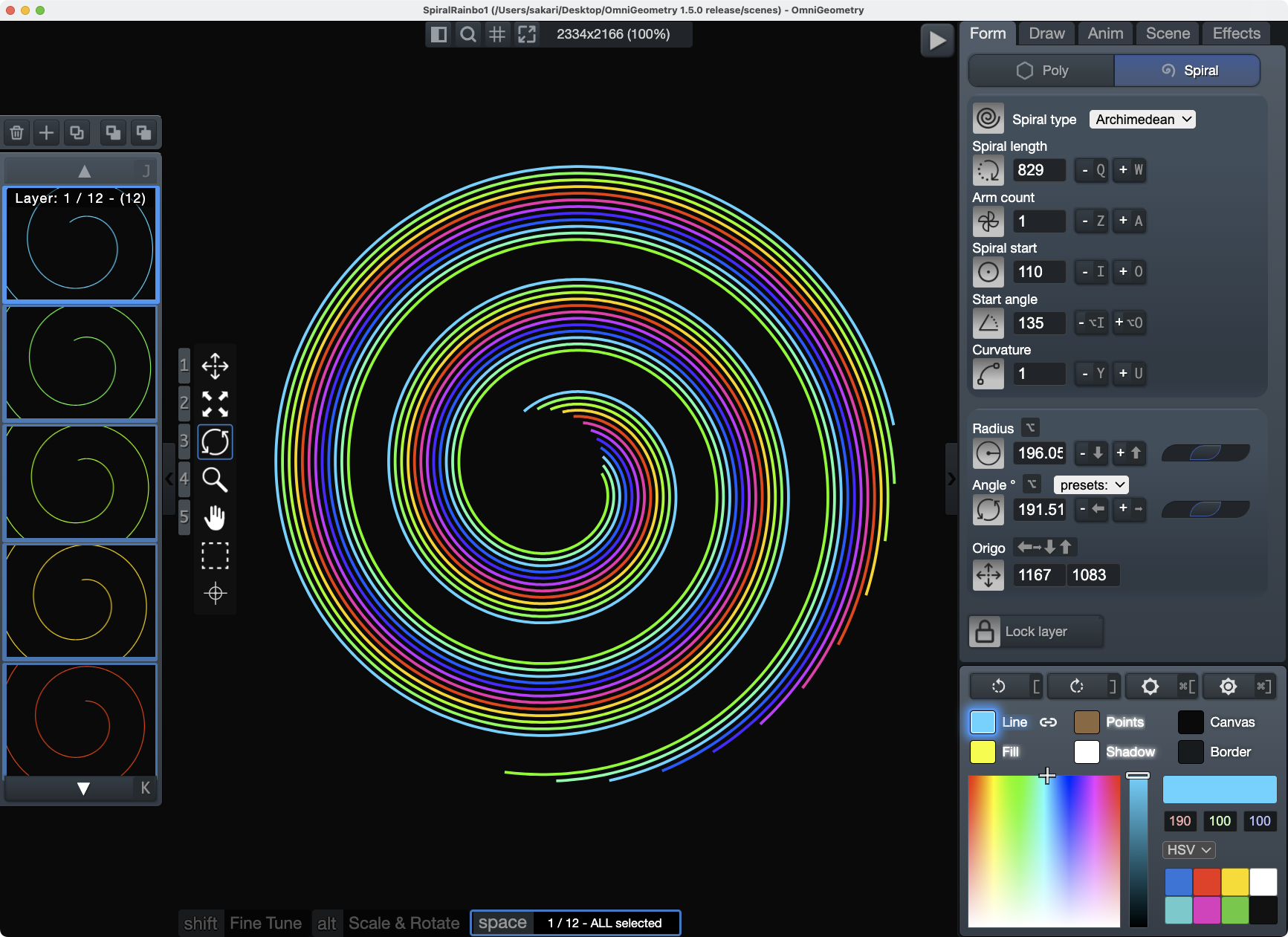
For years OmniGeometry has been built on polygons. Now there is a second way to draw: Archimedean and logarithmic spirals, with their own parameters for arm count, curvature, length and start angle.
They recurse, animate, trace and take color like every other layer — so every technique you already know still works, applied to a completely different kind of line. Golden ratio curves, nautilus forms, spinning galactic arms.
03For performers
Your canvas, live in OBS and Resolume
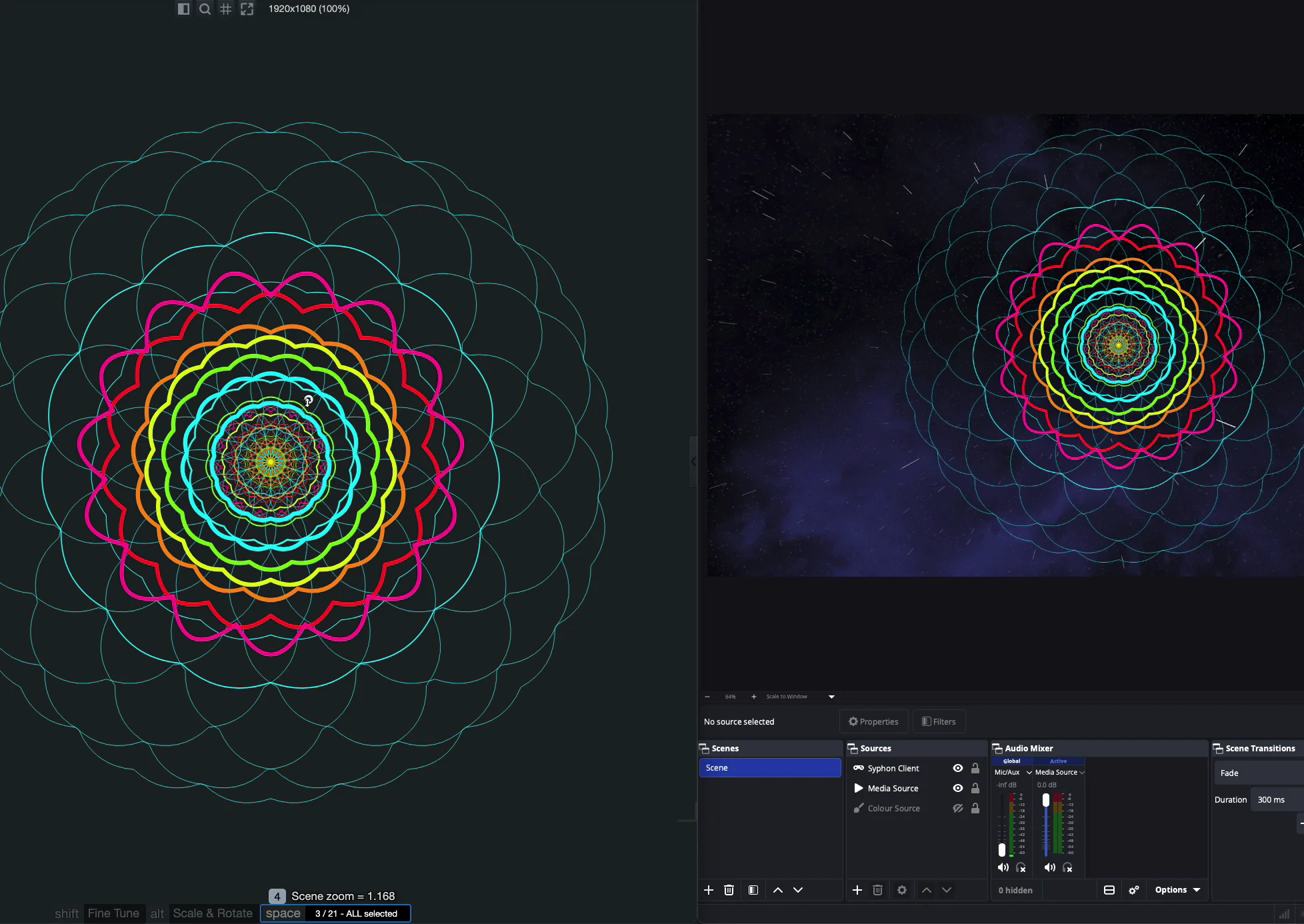
OmniGeometry now publishes its canvas over Syphon and Spout. Your geometry lands in your video software as a real video source, transparency intact — no screen capture, no window juggling, no black box behind your art.
Turn it on from the menu and the canvas picks up a subtle tint, so you always know you are live. If you VJ, project or stream, this one is for you. ✨
04Start creating in seconds
72 finished scenes, right inside the app
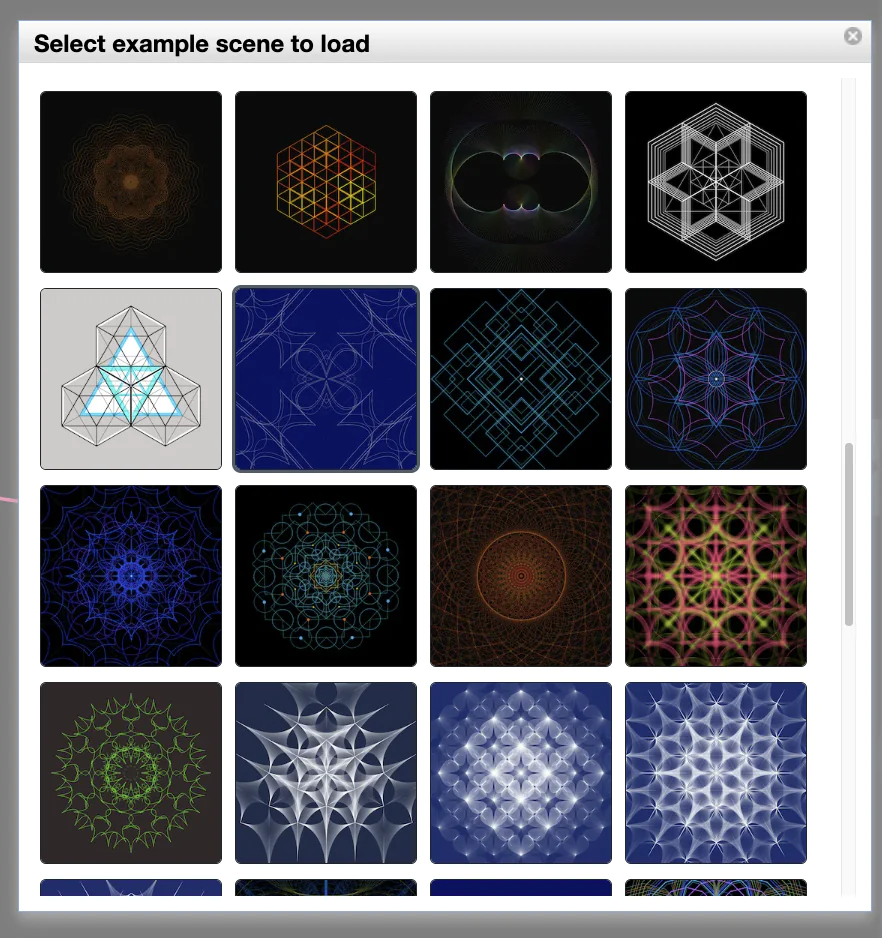
The blank canvas is the hardest part. So we packed 72 complete scenes into OmniGeometry, browsable with thumbnail previews from File → Open Examples…
Open one, take it apart, change a parameter and watch what happens. They are yours to remix freely — the fastest way to learn what OmniGeometry can really do.
05New in the UI
A calmer, more capable workspace
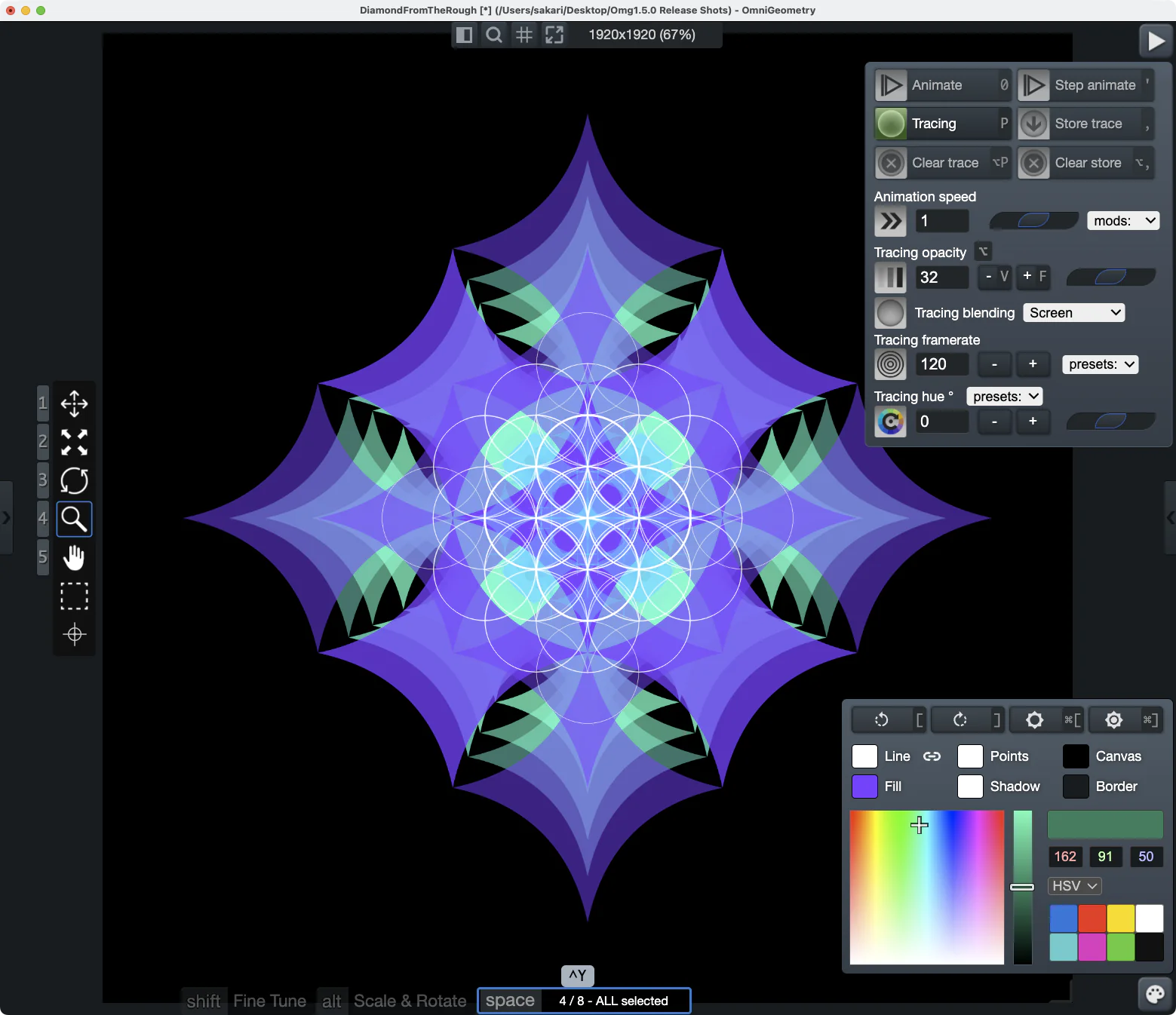
The animation and color panels now float free of the sidebar. Hide the whole right-side UI, keep only what you are using, and let your artwork fill the screen while you drive it.
Parameters you can actually find
Every parameter has been regrouped into clear, visually distinct sections and rearranged by what it does — so you spend your time adjusting instead of searching.
06Quality of life
Go back to a good usable state easily

Every parameter can now be reset to its default value — click the parameter's icon, then the blue cross. An easy way back to a working state once a value has wandered somewhere you did not intend.
07Color & tracing
Rotate the hue of traces you already made
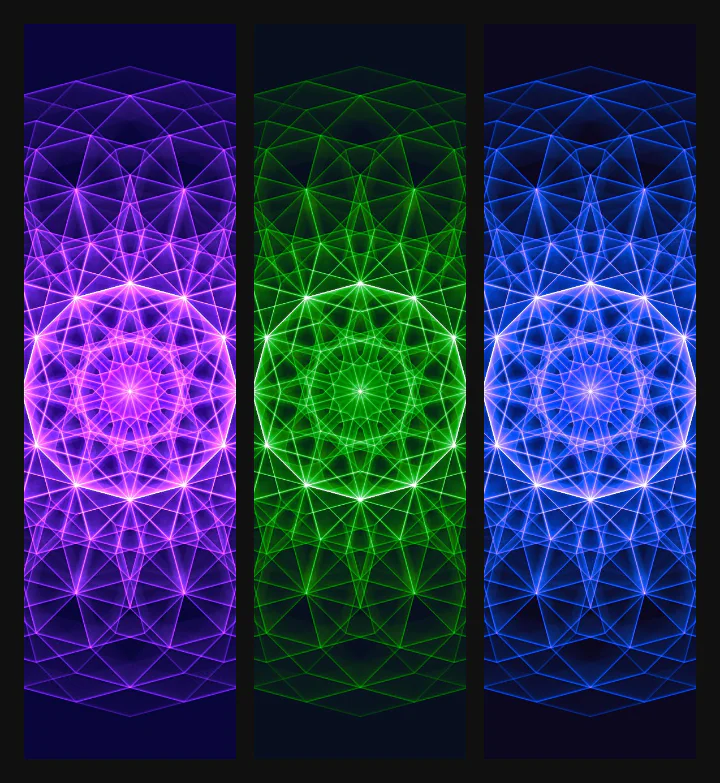
Traced a pattern you love, but the colors are not quite right? You can now rotate the hue of existing traces without re-tracing a thing.
08For power users
Drive any parameter with an expression
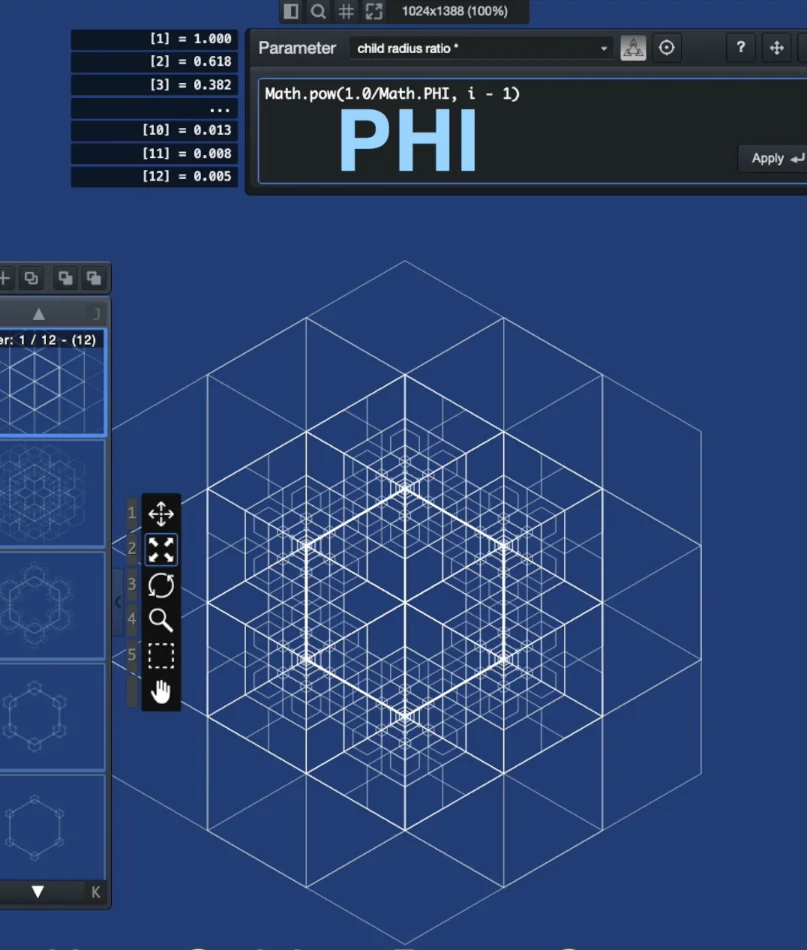
Type i * 15 or sin(i) * radius and watch it cascade across every selected layer, with a live preview of the exact value each one will receive.
There is a picker for choosing the target parameter, a searchable function reference you can click to insert, and your drafts are remembered. The closest thing to programming your mandala — without leaving the canvas.
09Precision
Angle locked rotation
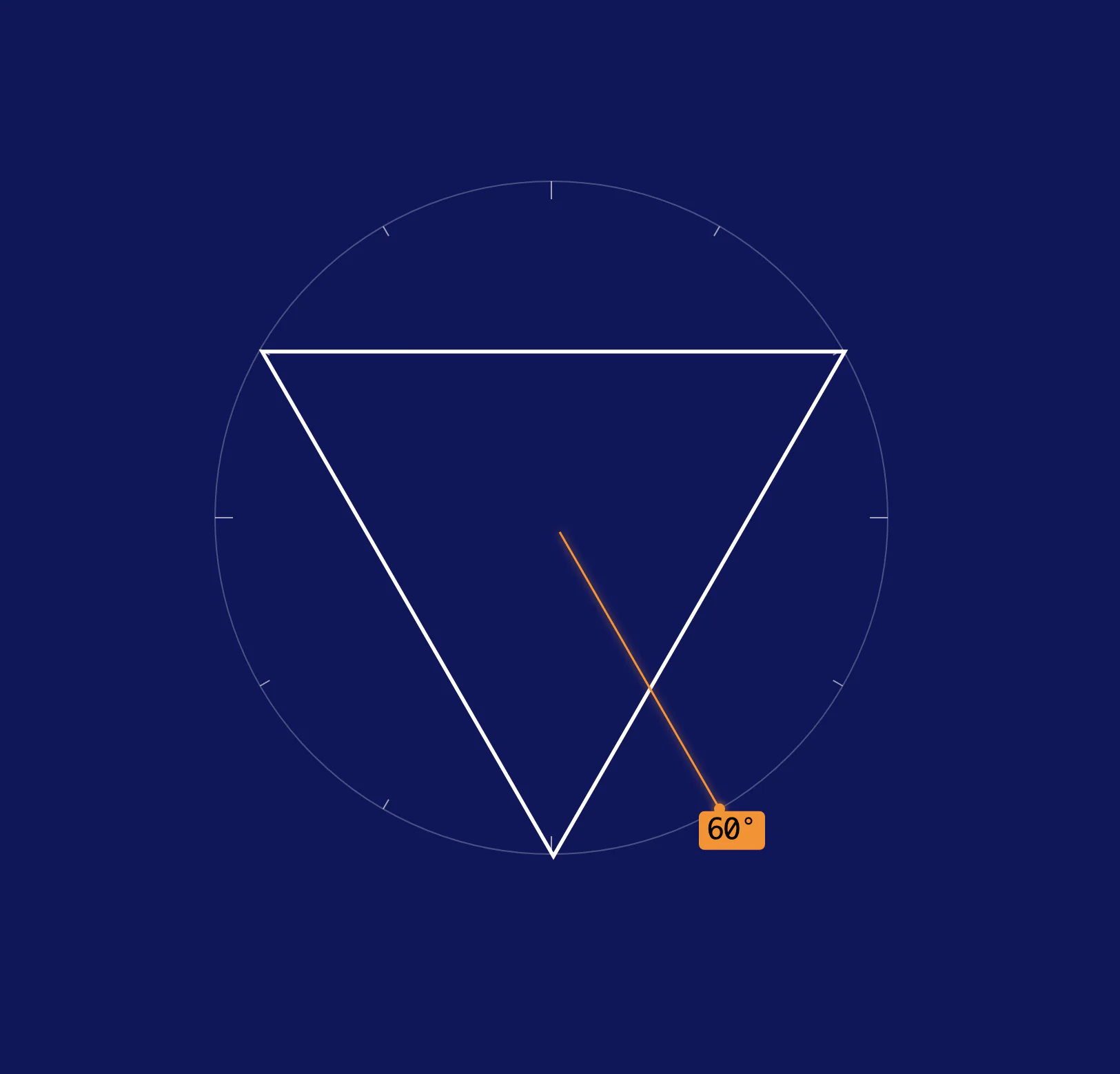
Turn a layer and it now settles onto the angles that suit its shape, with a visual guide drawn right on the canvas showing every lock point and the exact angle you are on.
Hold shift whenever you want to ignore it and rotate freely.
10Precision
Snap to grid
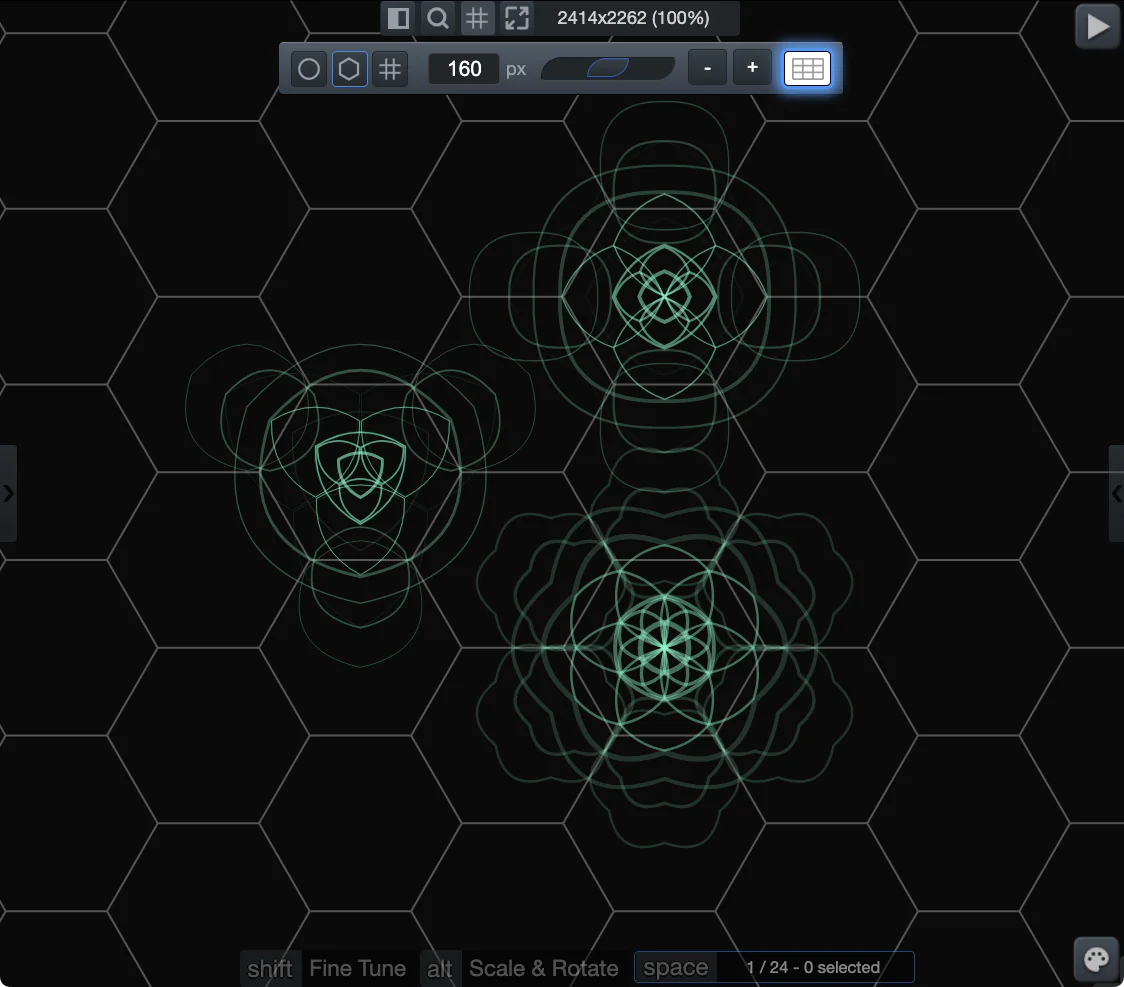
Three grid overlays, drawn across the whole canvas and anchored to the center of your scene. Drag a layer and it settles onto the grid on its own — or step it from one grid point to the next with the arrow keys.
Square
The classic square grid lattice, snapping to every intersection. The one you want for rows, columns, borders and repeating tiles.
Hexagonal
Layers lock to the middle of each hexagon rather than its corners, so honeycombs and flower-of-life arrangements fall into place without any measuring.
Circle
Circle based locking grid, that allows you to position layers easily along a circle. When active, keyboard arrow controls align layers along the circle.
Every grid takes its own color, and the cell size has a nudge adjuster so you can dial the spacing in while you watch it.
11Export
Better exports, all around
PDF and SVG export runs on its own thread now, so the app stays responsive while it works — and it finally renders everything: point images, background images and tracing all make it into the file.
Every layer as its own file
Export a scene as one file per layer, in PNG, SVG or PDF, ready to composite wherever you finish your work.
Turn your art into a drawing point
Capture selected layers as a point image, then use it as the point every other layer draws with. Recursive geometry built from your own recursive geometry. 🌀
12Brand new effect
Beat pulse — put your scene on the music
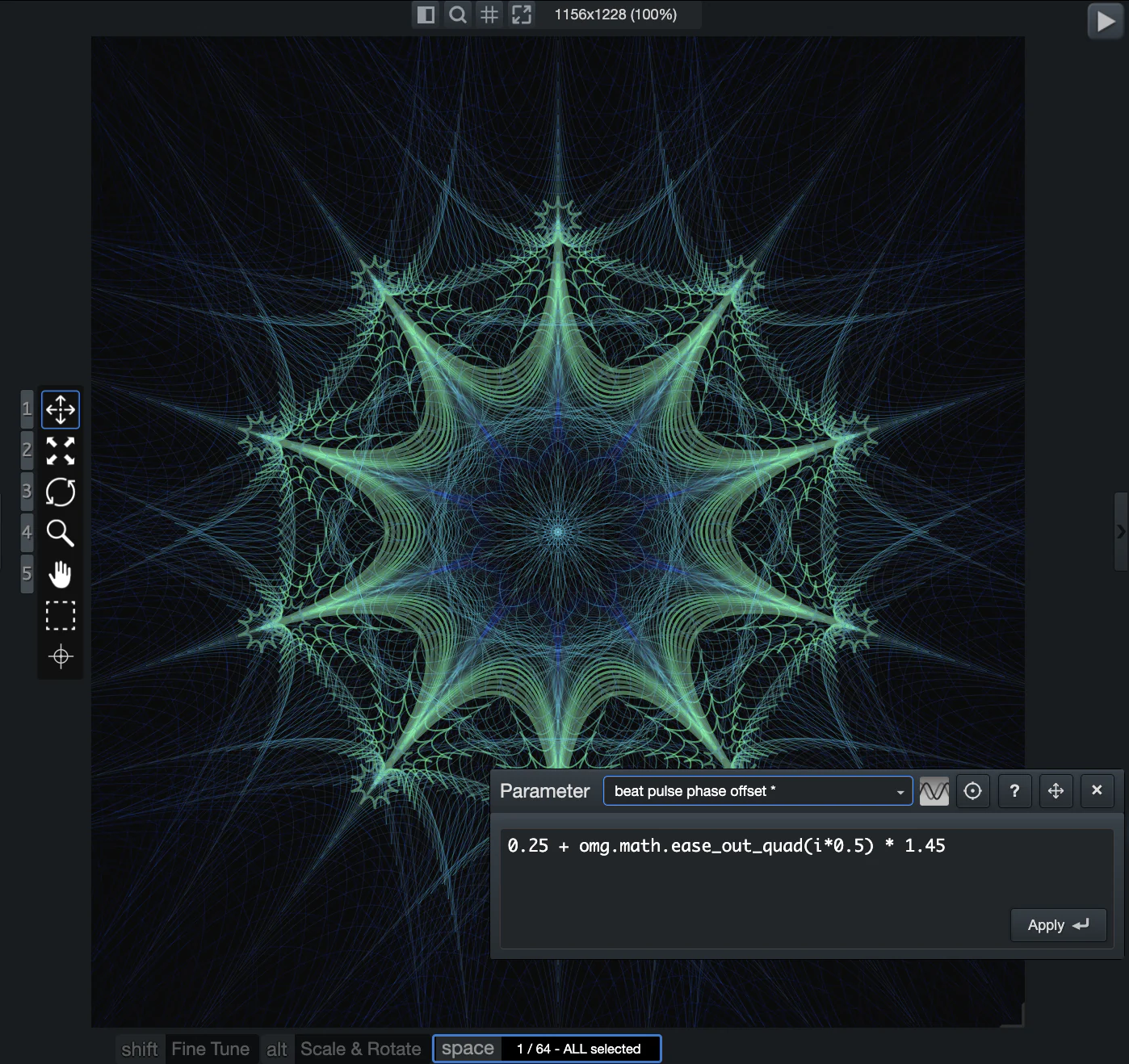
Set a BPM and your layers start pulsing in time with it. Colors and brightness swell and fall away on every beat, turning a still mandala into something that breathes along with whatever you are playing.
You choose how the pulse lands and what it does — and because each layer can carry its own phase offset, the flash can ripple outward through the recursion instead of hitting everything at once.
And plenty more
Improved performance
We've optimized the drawing code, showing smoother and more consistent framerates.
A proper welcome
First launch greets you with a short tour and buttons straight into the example scenes.
Borrow layers from any scene
Append layers from another .omg file — hold alt while dragging a scene into the canvas copies layers only from that scene.
Better color controls
Adjust color hue and brightness in steps easily, enabling easy creation of hue slides and gradual brightness slides.
Fixed rotation & scaling
New animation modes that hold steady instead of drifting, for controlled, repeatable motion.
Draw at half resolution
A big speed boost on heavy scenes — and your PNG exports now follow suit.
Performance stats
A live framerate readout, so you can see what a scene is costing you as you build it.
Layer ordering
Send to back and bring to front, bound to both the keyboard and your MIDI controller.
Kinder undo
A slider drag or mouse gesture collapses into one undo step instead of flooding the stack.
Canvas mouse panning
Canvas can now be positioned inside the window freely with the canvas mouse pan tool.
Zoom improvements
Zoom level can now be locked to prevent accidental modification, and presets for the zoom values.
Settings that stick
Preferences moved to a proper config file, fixing a bug that could silently lose them.
A modern foundation
Rebuilt on a much newer Electron and a consolidated codebase — steadier, and easier to build on.
Thank you 🙏
This release marks an important milestone in our history, being able to offer the app to everyone for free, while providing truly a professional level geometry designer suite with the OmniGeometry Pro license.
This version includes many real world user feedback based improvements, based on feedback gathered over the years. Hoping many new people can find our app and experience to power of sacred geometry 🌀
-- Sakari, OmniGeometry
Download OmniGeometry 1.5
Free to download
Upgrade to Pro when you want the full suite of features.
Experience the power of Sacred Geometry
Download OmniGeometry